

Industry notes
Warehouse video alerts should start with the workflow
How to turn a warehouse monitoring idea into a specific, testable camera use case.
Published
THE USEFUL PART
- Choose a specific location, observable event and responsible person.
- Camera placement and visibility set the limits of any analysis.
- Use video review to support site procedures and measure the result.
Start at a real point of friction
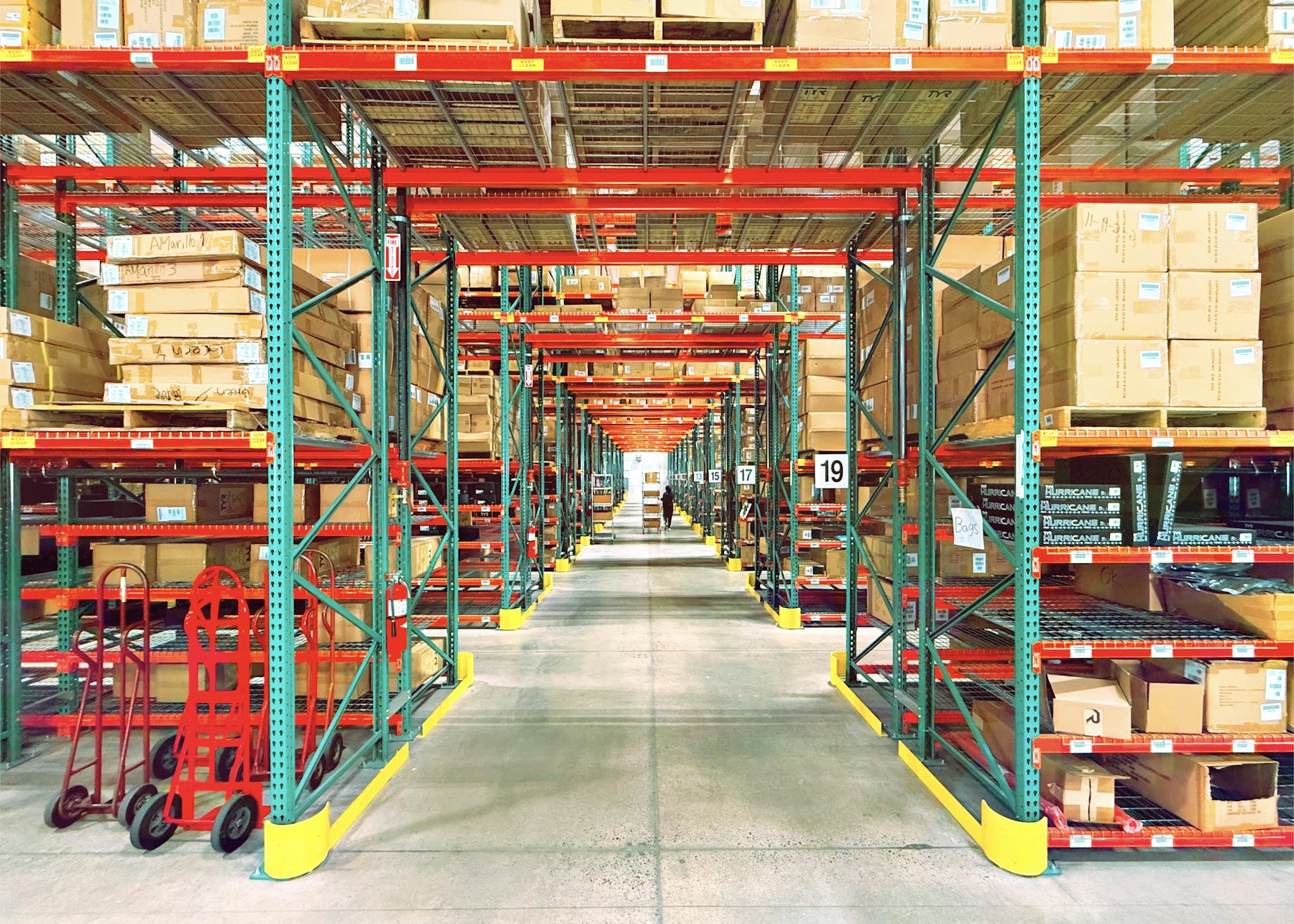
A warehouse can contain many distinct environments: loading doors, narrow aisles, staging areas, pedestrian routes and outside yards. A single alert rule rarely fits them all. Start with a concrete question, such as whether someone enters a restricted area after a shift, rather than an open-ended request to make the whole warehouse intelligent.
BlackSight’s warehouse direction is to connect that kind of event with the relevant view and a usable review workflow. The intended value is helping a supervisor find and assess activity without keeping every camera on screen at once.
Make the camera view part of the requirement
Walk the location with the installer. Check the mounting angle, obstructions, lighting and how large the relevant subject appears in the image. Racking, stacked goods and moving vehicles can hide the very detail an analysis task depends on.
A helmet-related demonstration, for example, needs a visible head region under the conditions being evaluated. An illustration of a tracking box is not evidence that a model can reliably assess protective equipment in every aisle. Record cases where the view is insufficient instead of forcing a confident answer.
Keep site safety procedures in charge
OSHA’s warehouse guidance covers a range of hazards, including powered industrial trucks, materials handling and walking-working surfaces. A camera alert is only one possible information source within a wider operational process.
Define what the reviewer should do with an alert and how it relates to the site’s existing procedures. Video analytics does not itself provide physical separation, training, a hazard assessment or a safe response. The pilot should evaluate whether the extra information is useful to the people responsible for those tasks.
Reference: OSHA — Warehousing hazards and solutions
Choose a bounded first scenario
For an initial evaluation, a scheduled restricted-zone entry is easier to specify than a broad claim about unsafe behavior. Identify the zone, time window and event boundary, then collect ordinary non-events as well as the target activity.
- Record the expected action and the person who reviews it.
- Include different shifts and representative lighting.
- Check occlusion from routine warehouse operations.
- Measure missed events, false alerts and review time.
- Review the outcome after layout or camera changes.
Link the alert to a short, useful record
A supervisor should be able to see where the event happened, when it happened and what the nearby sequence shows. Keep related events together where appropriate, but preserve the difference between an observed event and an interpretation of it.
An operational note can be more useful than a raw count: expected maintenance, a temporary obstruction, an unsuitable angle or a rule that needs adjustment. This creates a practical feedback loop for improving the deployment.
The BlackSight warehouse plan
Warehouse use cases are part of BlackSight’s phased platform scope. We are designing for compatible IP cameras, local analysis and review through the same broader video system, with installation and site configuration handled by dealers and installers.
Specialist scenarios, including PPE interpretation, require their own validation. The first useful conversation is about the warehouse’s exact workflow and what a successful pilot would demonstrate, not an unmeasured promise to detect every possible incident.
HELP SHAPE WHAT COMES NEXT
Bring us your use case.
Tell us where you want a clearer view. Contact our team to discuss your project.
Contact us Explore the system design